A Codespace of its own
A full Linux workspace with a real terminal, a file tree and an editor. It installs packages, runs builds and starts dev servers like an engineer would.
An AI agent with its own computer, and a team of Bots beside it. Give it real work: it writes the code, runs the build, deploys it, and comes back with finished work.
An experimental software program by Clatter Labs · Windows · Cloud computers · Telegram
Builds with and ships to


Type it, say it, or send it from Telegram. Plain words are enough.
It plans, writes code into Cloud Repos and runs it on its own computer.
Specialists research, review and test in parallel while it builds.
A live link, a diff of every change, and a question only when it's your call.
The Main agent is the strongest one in the room. It writes source straight into Cloud Repos, uses its computer's terminal to install, build, test and run, and wires up the database, storage and edge for you. Then it tells you what it did, in plain words.
Cosmos is the Main agent: it owns the job and does the building. Around it sit five Bots, each with one job: research, review, testing, data and docs. Cosmos hands them work by name, they run at the same time, and they hand results back. You see the whole conversation, and they only stop for you when a decision is yours. The names here are just examples: create as many Bots as you like, and name and brief each one yourself.
Ship a waitlist page for our launch, with a Supabase table behind it. Make sure it's fast and documented.
On it. I'll build; the team will research, review, test, report and document in parallel.
How do strong launch pages handle the waitlist? Short brief.
Most keep it to one email field above the fold, with a clear promise next to it. Sources attached.
Review the diff.
Pushed two small fixes: input label and the duplicate-signup error.
Test the preview and run Lighthouse.
Tests pass. One heavy image flagged; everything else is clean.
Set up a daily signups report.
Done. Signups by source, every morning, in this thread.
Update the README and the changelog.
Both updated to match what shipped.
Live. The diff, the recording and the team's notes are all in this thread.
Cosmos, or you, mentions a Bot with @Name and gives it a job. The Bot picks it up immediately with its own status.
Review, tests and research run while Cosmos keeps building. Nobody waits for the slowest step.
What one Bot learns, the others know. Context carries from the brief to the build to the report.
Specialists fix what's small and hand anything big back to Cosmos, so one agent is always accountable for the build.
Builds the whole thing. Plans the app, writes it into Cloud Repos, sets up the database and storage, runs the build on its computer and ships it to a live URL.
Digs through docs, APIs and competitors, then explains what it found in plain words with the sources it used.
Reviews every commit for bugs, accessibility and edge cases, pushes small fixes and flags anything bigger for the Main agent.
Runs the build, the tests and Lighthouse on every deploy, and reports anything that slipped below the bar.
Reads your usage, logs and databases and turns them into the weekly numbers you actually look at.
Writes the README, the changelog and the onboarding guide, and keeps them in sync with the code.
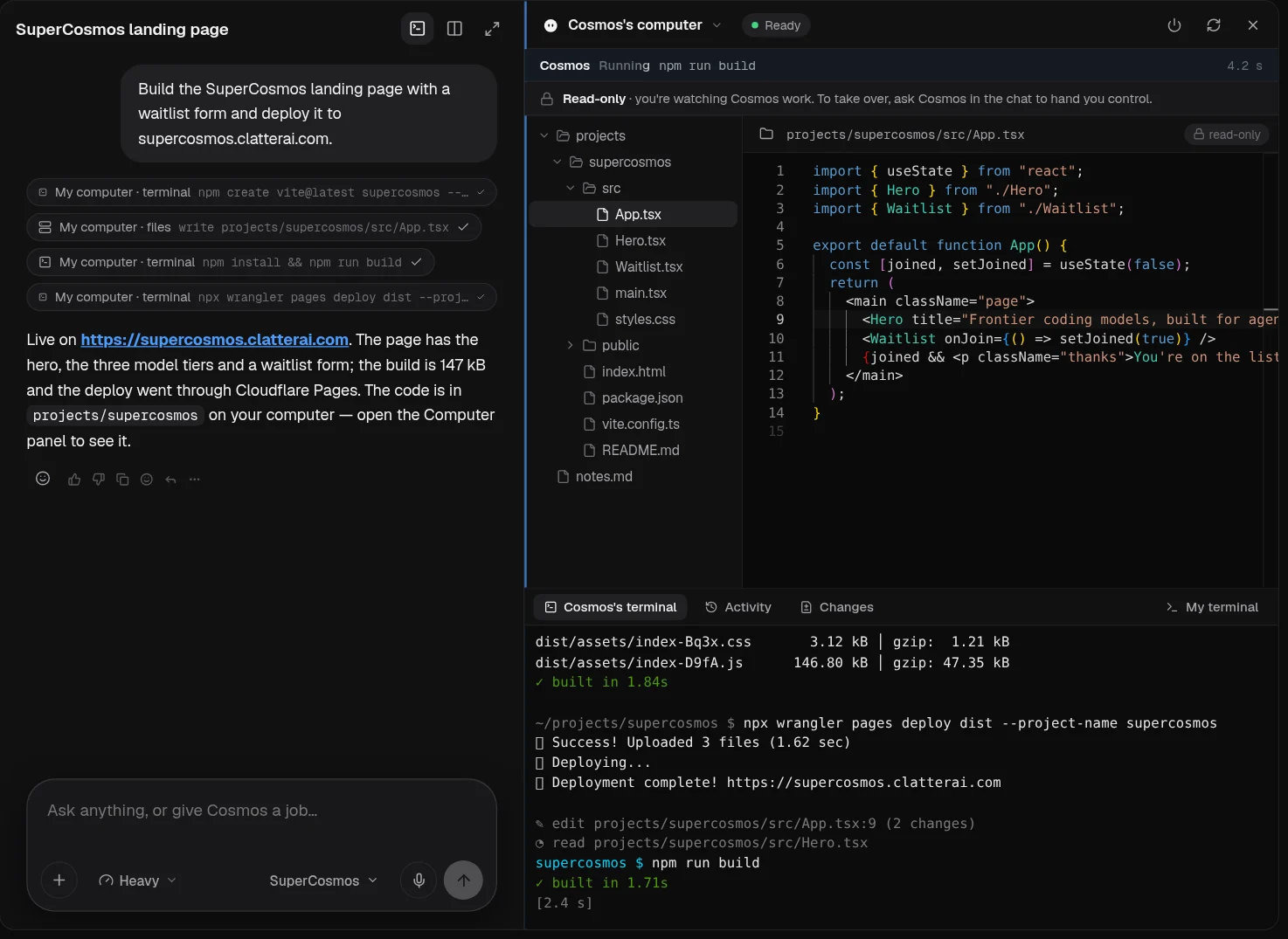
Cosmos doesn't hand you code to paste. It has a real computer in the cloud, with a terminal, a file system, an editor, a database and a way to ship. Give it a full-stack site or app and it takes it from empty folder to live URL, while your laptop is closed if you like.
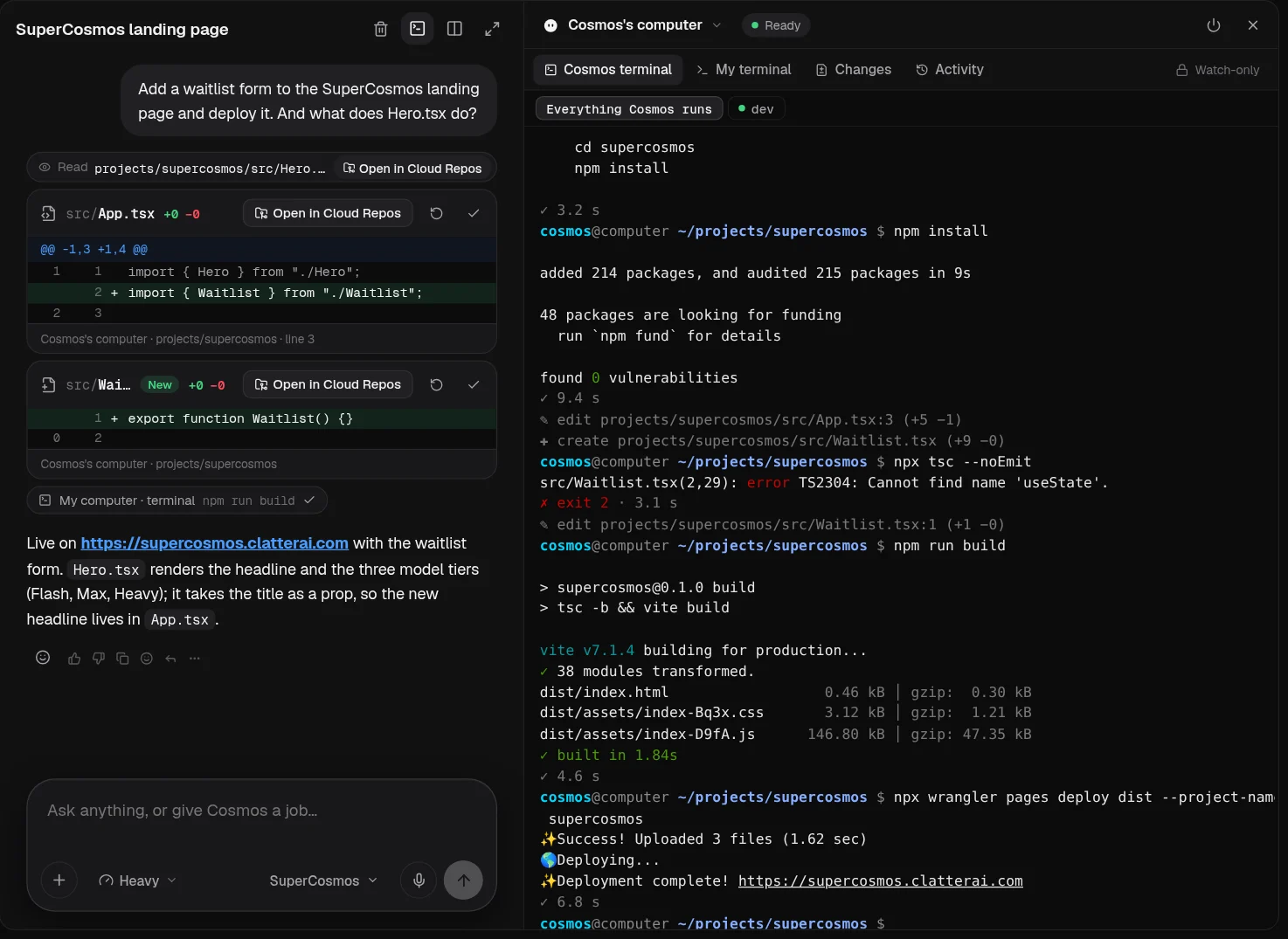
A full Linux workspace with a real terminal, a file tree and an editor. It installs packages, runs builds and starts dev servers like an engineer would.
Supabase gives every project Postgres, auth and file storage, and wakes the computer in real time when new work arrives.
Cloudflare handles deploys, routing and site tests, so what Cosmos builds goes live on a real URL.
Every file is committed to a private repo in your account, with diffs, history and restore.
Each chat session runs on its own clean computer with its own terminals and logs. Delete the chat and its workspace is wiped.
Watch the screen and terminal live in a read-only panel. Ask for control and Cosmos hands you the wheel.
Computer-use tasks are recorded. When one ends, the video and a final screenshot arrive in the chat.
Open your own shell on the same machine next to the agent's console, any time.
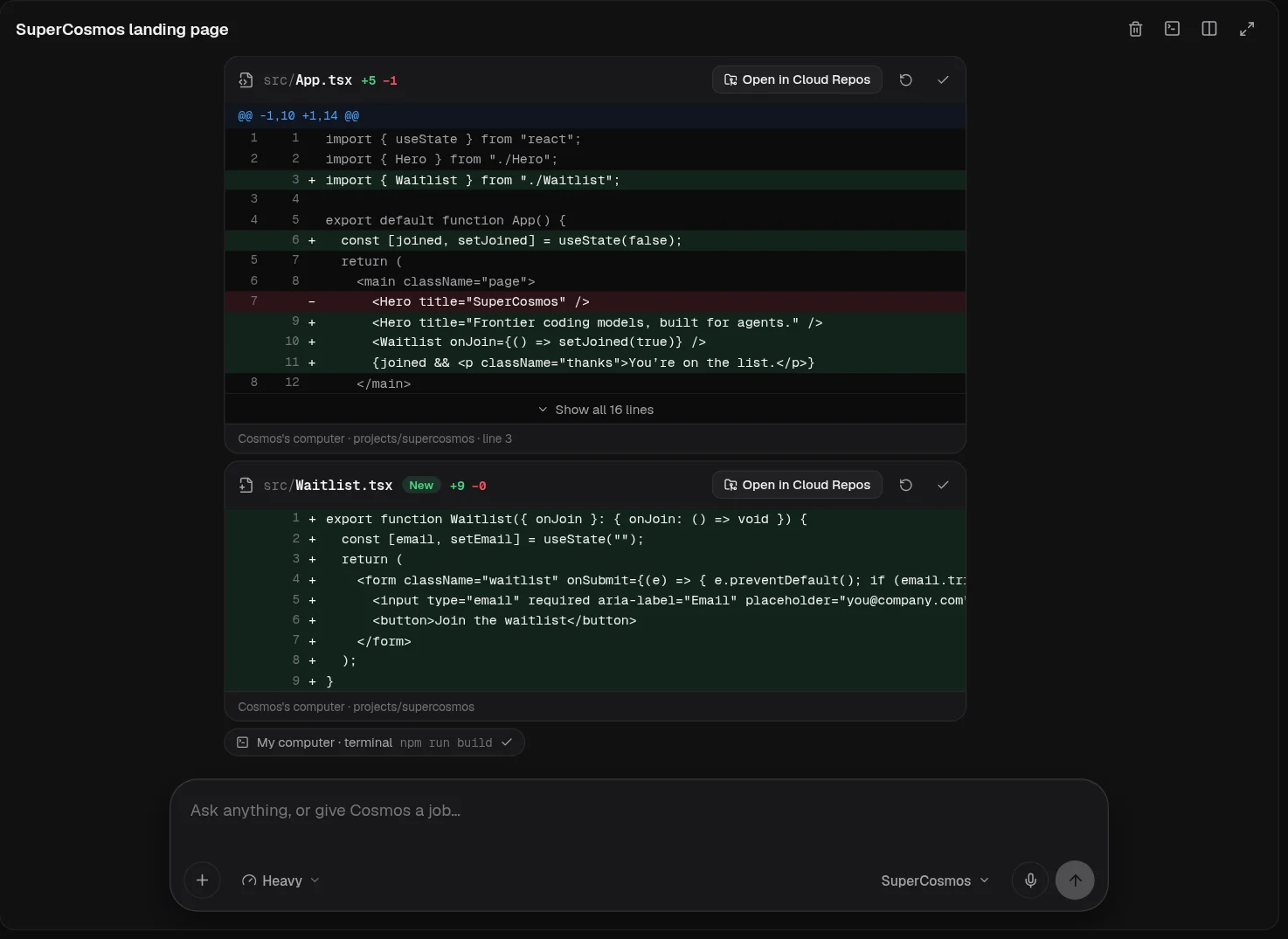
Every project gets a private repo in your account. Cosmos commits as it works, so you can read every change, compare versions and put things back exactly as they were.
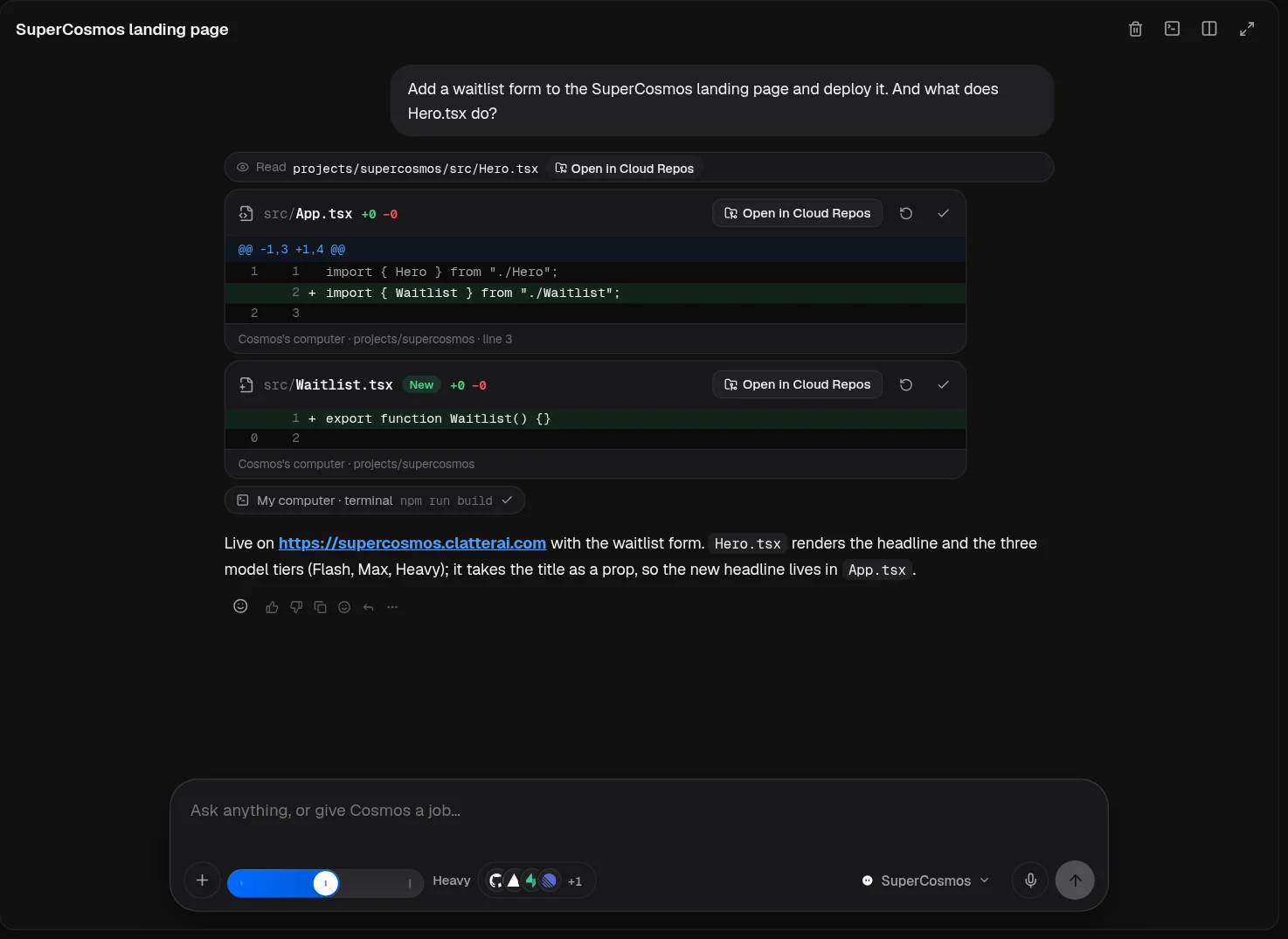
Each change arrives as a card with the exact lines added and removed, and a link straight to the file.
Repos belong to your account. Only you and the agents you run can read or write them.
Revert a single file, reset to any commit, and see what changed between two points in time.
Cosmos commits while it works, so the history shows each step it took, not one giant change at the end.
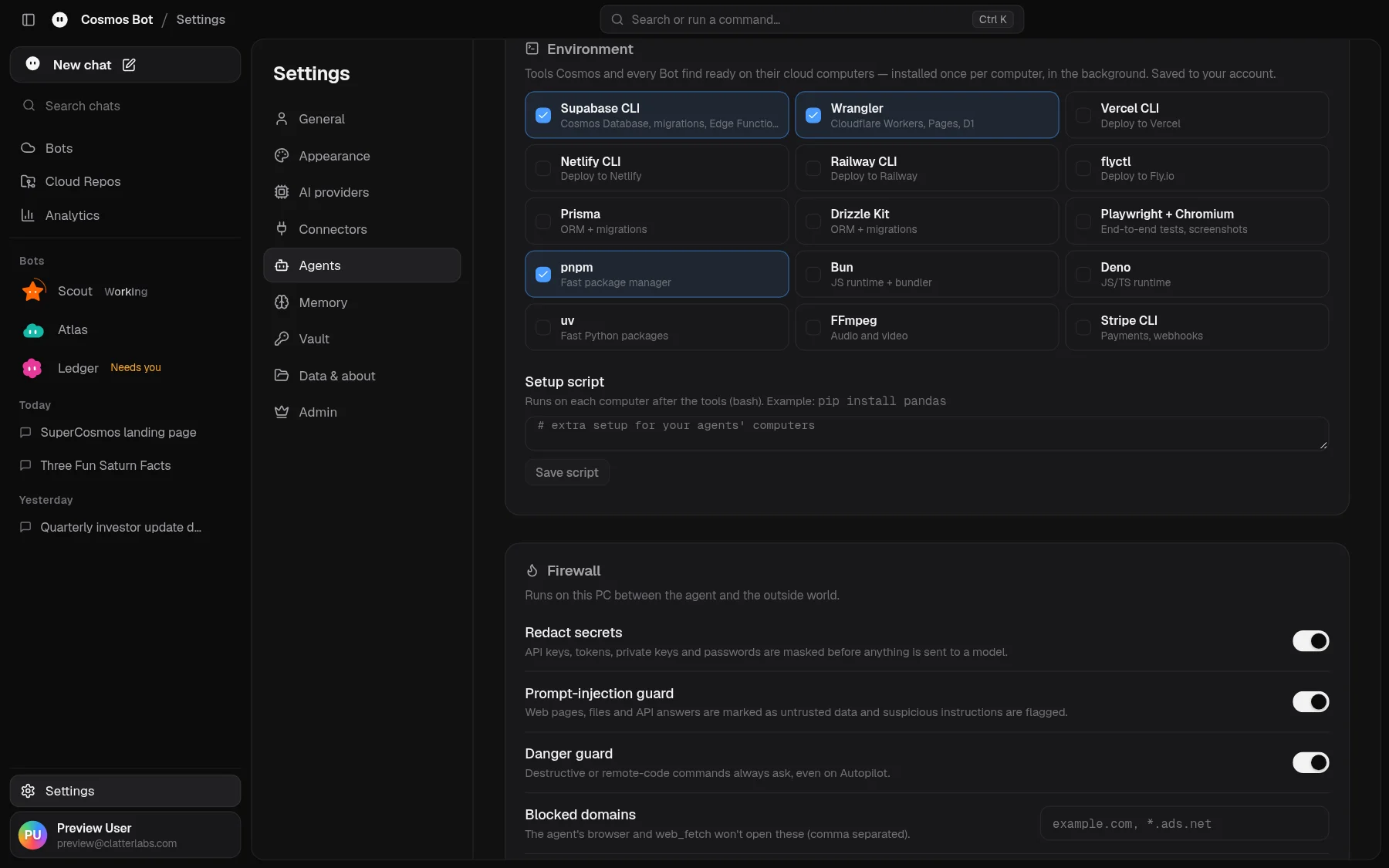
Pick the CLIs your stack needs once. They're installed on every agent computer in the background and saved to your account, so each new chat starts with the right tools already in place.
Each chat session gets its own isolated computer, so two jobs never step on each other.
SuperCosmos is Clatter Labs' own AI gateway. MiniMax, Nemotron 3 Ultra, GLM and the rest of the lineup are hosted by Clatter Labs, and in early access they're free and unlimited: no caps, no rate tiers, no credit card. The gateway routes each request to a model verified for tool calling, and falls back automatically if one is busy. Prefer your own provider? Bring it.
 SuperCosmos by Clatter Labs · Free · Unlimited · No caps
Image and video understanding included. Lineup as of 0.8.0; it changes as better models arrive.
One slider decides how hard Cosmos thinks, how long it runs and how many sub-agents it uses. It starts on Max.
Deepest thinking, longest runs, most sub-agents
Replies stream token by token at every level.
Cosmos can connect to every service below and use it: push to your repos, deploy to your hosts, query your databases, post to your workspace and call the models you choose. Connect once; every agent and Bot can use it. Tokens stay in your account, reach only their own service, and are scrubbed from anything the agent prints.
Plus any tool exposed through an MCP server. Logos are trademarks of their respective owners.
Link a Telegram chat with a one-time code and your whole team comes with you. Start a job on the train, approve a step with a button, and get the result and its files right in the thread. Every Telegram chat is a normal session you can pick up on the desktop.
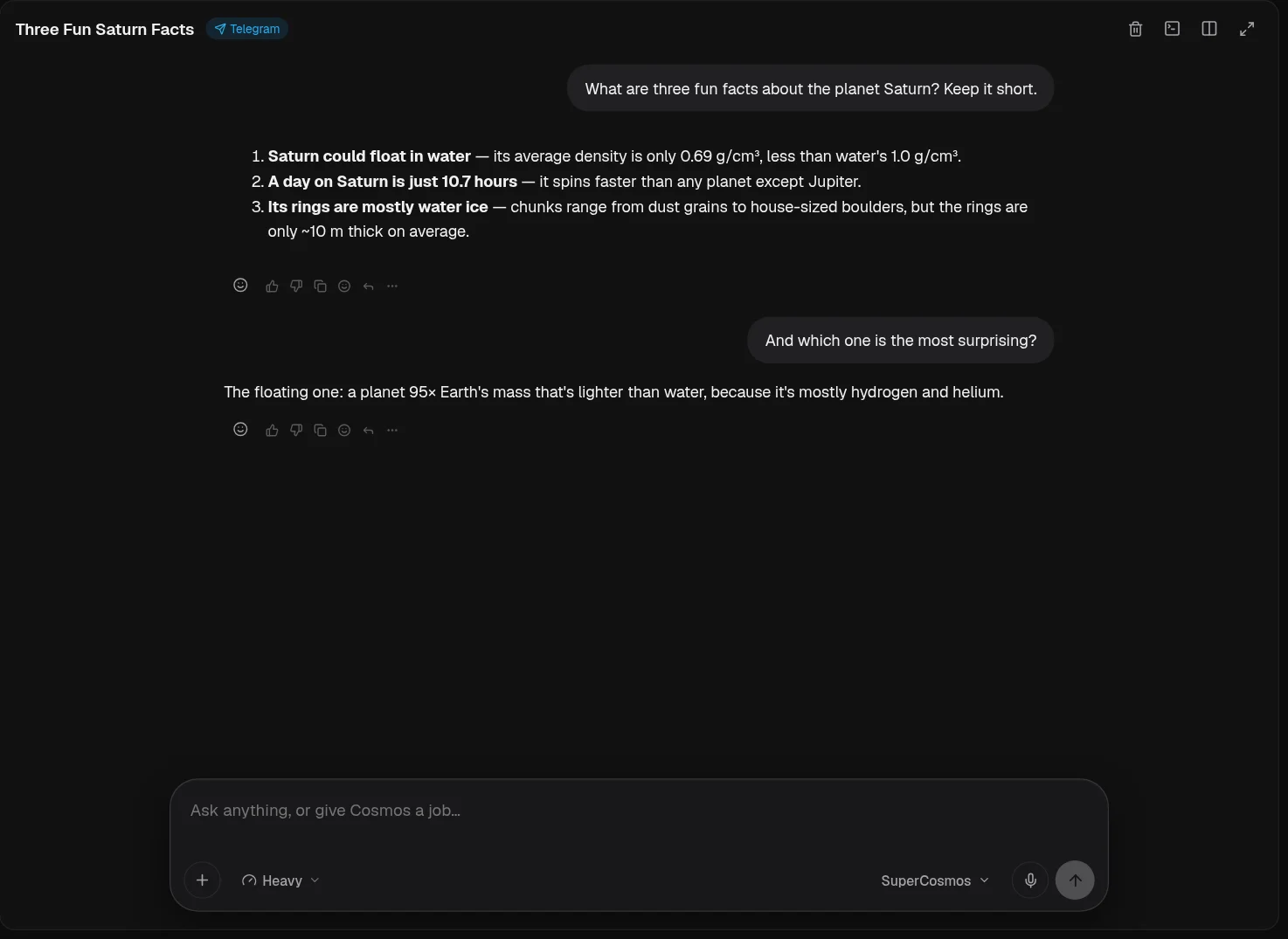
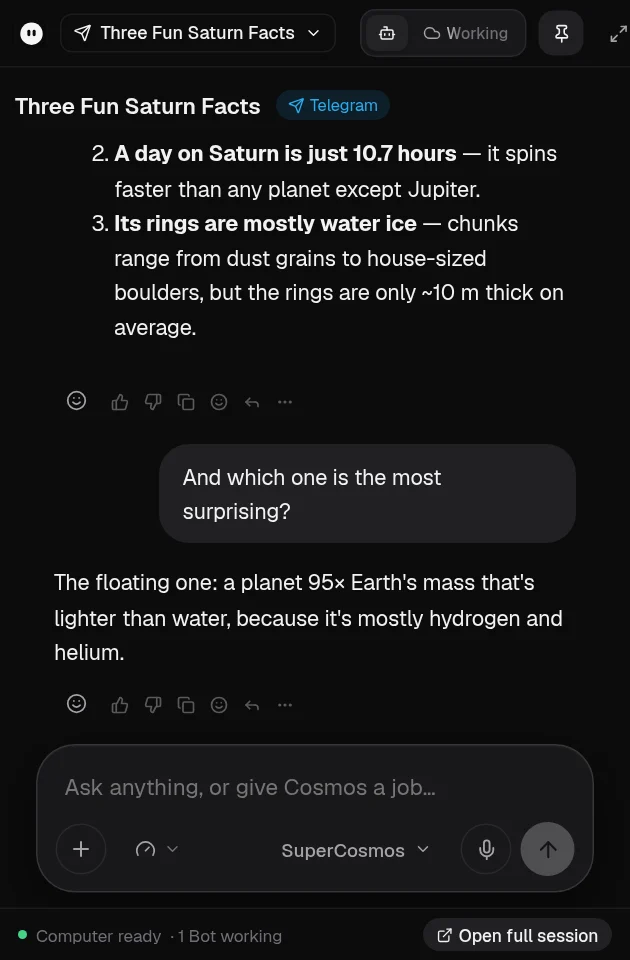
Cosmos can do a lot on its own. You decide where the line is, and you can always see what it did.
Every delete, remove and disconnect opens a confirm popup. Nothing goes away without your yes.
Screen-control sessions are recorded. The video and a final screenshot land in the chat when the task ends.
Each chat runs on its own computer with a clean workspace. Deleted chats are wiped; idle ones are reclaimed.
The Computer panel is read-only by default. Ask for control and the agent hands it to you.
Secret redaction, prompt-injection checks and a danger guard sit between the agent and the outside world.
Usage, latency, activity by hour and the tools that fail most, across every PC you use.
The small things that make it feel like a teammate, not a tool.
Agent and Bots remember how you work, and get better at it.
Sign in on another PC and everything is where you left it.
Every project can go out to a live URL from the chat.
Postgres, auth and storage set up by the agent.
Talk to it. Transcription runs in the cloud and detects your language.
The agent drives a real browser while you watch its cursor.
A compact chat that floats over whatever you're doing.
Ctrl K to jump anywhere or run anything.
When it needs a decision, it asks with clear options.
Edit screenshots and recordings with an agent beside the canvas.
Use SuperCosmos or plug in the model providers you already pay for.
A small, fast Tauri app with notifications and a tray icon.
Cosmos has its own computer and its own repos, so it doesn't just suggest code: it writes it, runs it, tests it and deploys it, and shows you every change it made.
The Main agent is the full-stack builder with the most power. Bots are specialists for research, review, testing, data and docs. They run in parallel and pass large builds back to the Main agent.
The app runs on Windows. The agents work on cloud computers, so jobs keep going when your laptop is closed, and you can follow along from Telegram.
Yes. The Computer panel shows its screen and terminal live, you can take control at any time, and anything that deletes, removes or disconnects asks you first.
Into private Cloud Repos in your account. Every change is a commit you can read, compare and restore.
By default, the SuperCosmos gateway picks from a lineup verified for tool calling, including MiniMax M3.1 Flash, Nemotron 3 Ultra and GLM 5.3. You can also connect your own providers.
Not yet. Cosmos Bot is a Windows desktop app today, and you can reach your Bots from Telegram on any device.
Join the early access list below. We send invite codes in waves and you'll hear from us by email.
Cosmos Bot is an experimental software program by Clatter Labs, not a production product. Early access is for taking part in the experiment only, and the service will be shut down completely when it ends. While it runs, SuperCosmos models are free and unlimited. Leave your details and every request is reviewed; approved requests get an invite code by email.